VilfinTV Exclusive Report | Money Desk
In our last article, we covered what a mutual fund is, what Direct vs. Regular Plan means, and why SEBI matters — all in the simplest possible terms. (You can read that article again here: Start With ₹500, Grow Into Lakhs: The Mutual Fund Magic Box). Today, let's go one step further — learn exactly how to invest in mutual funds and index funds via the Navi app, in a way even someone who isn't very phone-savvy can follow, step by step.
1. What Is Navi? Why Trust It?
Navi is an Indian financial services company started by Sachin Bansal (Flipkart's co-founder) and Ankit Agarwal, who brings years of banking-sector experience. Navi Mutual Fund was originally known as 'Essel Mutual Fund' — acquired in 2019, and renamed 'Navi Mutual Fund' in April 2021.
SEBI Registration Details (verified):
- SEBI Registration Code: MF/062/09/03 (originally registered 4 December 2009, new certificate issued as 'Navi Mutual Fund' on 25 March 2021)
- Investment Manager (AMC): Navi AMC Limited
- Trustee: Navi Trustee Limited
- Total AUM (investor money managed): approx. ₹9,007 crore (as of March 2026, across 18 schemes)
In short: Navi is not a "fake app" — it's a genuine, fully SEBI-registered mutual fund company operating legally. That said, as mentioned in our previous article, it's always good practice to independently verify any app's SEBI/AMFI registration yourself at sebi.gov.in before using it.
2. Benefits of Investing via the Navi App
- Start with a very small amount: Invest as an SIP or lump sum from just ₹100.
- Extremely low expense ratio: The Navi Nifty 50 Index Fund's expense ratio is just 0.06% — one of the lowest rates in India (since it's so low, you get the full benefit of the Direct Plan advantage covered in our previous article).
- A simple app: Just a handful of buttons, no complicated charts, designed for beginners.
- Fully online: No branch visits — open the account entirely from home.
Use this link to open a Navi account: 📲 Navi App — Open an Account (referral code: j6qTBD) — making your first payment via this link gets you an instant ₹5 cashback.
3. What Else Does the Navi App Offer? (Beyond Mutual Funds)
This article mainly focuses on mutual funds, but Navi is actually an "all-in-one" financial app with several other services worth knowing about (not that you need to use all of them at once, just for awareness):
- 💸 UPI Payments: Send money to anyone via NPCI-approved UPI, just like Google Pay or PhonePe, and scan-to-pay at shops. There's even a "UPI Lite" option that doesn't require a PIN.
- 📱 Bill Payments & Recharges: Mobile recharge, electricity bills, DTH, and more, right from the app.
- 💰 Loans: Instant personal loans, and home loans (up to ₹5 crore, tenure up to 30 years, in select cities — Bengaluru, Chennai, Hyderabad). Note: always compare interest rates and terms yourself before taking any loan.
- 🏥 Health Insurance: Coverage up to ₹3 crore, premiums from ₹350/month, cashless treatment at 12,000+ hospitals.
- 🚗 Motor Insurance: Buy or renew car/bike insurance policies directly from the app.
- 🪙 Digital Gold: 24K, 99.9% pure gold, buyable from just ₹50.
The rest of this article focuses purely on mutual fund investing.

☝️ A real screenshot from the Navi app — showing 3-year returns for various index/sector funds (Nifty India Manufacturing 19.60%, Nifty Midcap 150 19.34%, Nifty Next 50 18.12%, and others). These are NOT the Nifty 50 Index Fund discussed as the primary example in this article — they're other fund categories, shown here just to illustrate the variety available in the app.
⚠️ Note — what does "Returns (3Y)" actually mean? The percentages shown in the screenshot are the average return per year (annualized) — not the total profit earned over all 3 years! For example, if 19.60% "per year" compounds for 3 years, the total gain works out to roughly 71% (not 19.60%). This is a distinction beginners frequently misunderstand, so pay close attention. Remember: past returns are never a guarantee of future returns.
4. First Step: How to Open an Account (Step by Step)
Don't worry even if you're not very comfortable with phones — just follow these 6 steps:
- Download the app: On Android, open "Google Play Store" and search "Navi." On iPhone, open the "App Store" and search the same way. Install it.
- Enter your mobile number: Open the app and enter your mobile number. An OTP (One Time Password) will arrive via SMS — type it into the app.
- Enter PAN card details: Type in your PAN number, or take a photo of your PAN card and upload it.
- Aadhaar / address proof: Enter your Aadhaar number and verify via OTP (this confirms your address).
- Selfie & video KYC: Take a selfie as instructed, then a short video showing your face while reading out loud the OTP sent to your phone. This is a government-mandated step (KYC) to confirm "you are really you" — you only need to do it once.
- Wait for approval: KYC is typically approved within a few hours (occasionally 1-2 days). You'll get a notification.
5. How to Link Your Bank Account
Once KYC is done, you need to tell the app where to pull investment money from:
- Find the "Bank Account" or "Add Bank" option in the app (usually under Profile or Settings).
- Enter your bank account number and IFSC code (found on your passbook or chequebook), or log in directly via net banking to link it.
- An automatic verification will send a small amount (like ₹1) and pull it back to confirm the account — this is normal, nothing to worry about.
6. How to Start Investing? How to Choose a Fund?
- Find the "Mutual Funds" or "Invest" button on the app's home screen.
- Search for "Navi Nifty 50 Index Fund" — commonly considered suitable for beginners (the same Index Fund category explained in our previous article).
- Press the "Invest" button on the fund's page.
- You'll be asked "SIP" or "One-time (Lump sum)" — SIP is generally recommended for beginners (details below).
- Type in the amount (can start from ₹100), press "Confirm."
7. How to Set Up an SIP
- Press "Start SIP," and you'll be asked how much you want to invest each month.
- You'll be asked which date you want (see the "which date is best" section below).
- You'll need to set up an "e-Mandate" (a type of authorisation) to auto-debit the money — this must be approved once via your bank's net banking or UPI (like Google Pay/PhonePe). 💡 Tip: net-banking e-Mandates are often slow, and can sometimes fail due to bank website issues — approving the mandate via the Navi UPI app (the same UPI feature built into the Navi app) is usually easier and faster.
- That's it! From now on, money is automatically invested on your chosen date every month — no need to open the app again.
8. Which Date Is Best for an SIP? Monthly, Weekly, or Daily?
This is a question most people ask — and the honest answer is: the exact date doesn't make a meaningful difference to your long-term returns. What matters isn't the date, it's investing consistently, without missing a month.
| Factor | Recommendation |
|---|---|
| Which date? | Pick a date 2-3 days after your salary arrives (e.g. if salary comes on the 1st, set SIP date to the 3rd or 5th) — so the money is definitely in your account. |
| Monthly SIP | The simplest, most widely used, and best suited for beginners. |
| Weekly SIP | Slightly smooths out small market fluctuations, but rarely makes a meaningful long-term difference over a monthly SIP. |
| Daily SIP | The "smoothest" in theory, but hard to track and just adds unnecessary complexity for beginners. |
In short: beginners should always choose Monthly SIP, set right after payday. Weekly or daily SIPs aren't worth the extra hassle for the marginal benefit.
9. How Long Should You Invest?
As shown in our previous article, seeing the real power of compounding requires patience for at least 7-10 years, with 15-20 years producing genuinely dramatic results. A small example (₹2,000 monthly, assuming a 12% average):
| Year | Invested | Value |
|---|---|---|
| 5 years | ₹1,20,000 | ₹1,64,973 |
| 10 years | ₹2,40,000 | ₹4,64,678 |
| 15 years | ₹3,60,000 | ₹10,09,152 |
| 20 years | ₹4,80,000 | ₹19,98,296 |
(This is purely illustrative, not a guarantee — actual returns vary year to year.) Read our real backtest on SIP vs. Lump Sum (what actually happened when NIFTY 50 fell 9% this year) here: Rs 1 Lakh, Four Ways: What Really Happened When NIFTY 50 Fell 9% This Year
10. For Emergency Cash: What Is a Liquid Fund (Debt Fund)?
Everything above is for long-term (7+ year) money — equity funds like index funds. But money you might need suddenly (an emergency fund, or anything needed within 3 months) is often better placed in a Liquid Fund — a type of debt fund — rather than sitting idle in a bank account.
- What is a Liquid Fund? A debt mutual fund that invests in very short-term (under 91 days) government/corporate debt instruments. Much lower risk than an equity fund, but you don't get the stock market's upside either.
- Why is it better than a bank savings account? Bank savings accounts typically pay only 2.5-4% interest. Navi Liquid Fund's actual historical returns are (verified): 1-year 5.78%, 3-year (CAGR) 6.51%, since inception (2013) 6.74% CAGR. Expense ratio just 0.15-0.17%.
- Risk: Very low, but not "zero risk" — there's a small, rare chance of a minor loss. This is meant to be an "emergency fund" spot, not a substitute for long-term stock market growth.
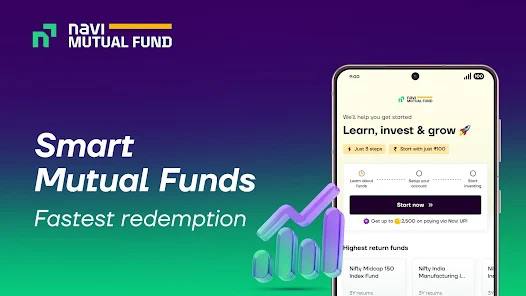
Navi's "Fastest Redemption" Claim — What's the Real Story?
Navi's advertising mentions "fastest redemption." Let's be honest about what this actually means:
- SEBI Instant Redemption Facility (applies to all companies): For Liquid/Overnight funds, SEBI has set a common rule for every mutual fund company — up to ₹50,000 or 90% of your investment (whichever is lower) can hit your bank account within minutes via IMPS, once per day. This is not unique to Navi — most platforms (Zerodha, Groww, Kuvera, and others) offer this for their own Liquid Funds too.
- For regular (equity/index) funds: Instant redemption doesn't apply — money typically takes 1-3 working days (T+1 to T+3) to reach your bank.
- What's the real difference, then? The actual difference between apps comes down to how clearly/easily they surface this shared SEBI facility, and how reliably fast the app itself performs — not some "unique Navi-only technology." Whichever app you use, the instant-redemption limit (₹50,000/90%) is the same for everyone.
- A safety net for investors: Even for non-instant redemptions, SEBI rules require the AMC to pay the investor 15% annual interest on any delay if it fails to return money within the mandated timeframe — a general investor-protection rule that applies to every company, Navi included.
- Our own experience (1 year of testing): After testing directly for about a year, the VilfinTV team found that lump-sum investments made via Navi's own UPI feature consistently felt faster than other apps (buying a Navi fund through an intermediary). One likely reason: investing directly into Navi's own fund through the Navi app cuts out a distributor middleman — but this is only our personal experience, may not hold for every user, and isn't based on an official benchmark study.
11. Risk & Mandatory Notice
- A mutual fund's value (NAV) changes daily — some years can even show a loss.
- 12% is just a long-term assumption, not a guarantee.
- Don't put money you'll need within 2-3 years into this.
🌍 Special Notice for NRIs: The app onboarding process described in this article is only for Resident Indians living in India. If you are an NRI, do not attempt self-service KYC directly in the app — you must first complete proper NRI KYC (including NRE/NRO account linking and FATCA/CRS declaration) through your bank, KFintech, CAMS, or a broker experienced with NRI accounts. If your KYC status is only "Registered" (not fully "Validated"), or you haven't been correctly registered as an NRI, do not start investing directly via the Navi app — this can cause transaction failures, fund blocks, and similar issues. You can check your KYC status for free here: CVL KRA — Check KYC Status. Always confirm with a financial advisor or Navi's customer support before starting to invest.
Mandatory Notice: Mutual Fund investments are subject to market risks. Please read all scheme-related documents carefully before investing. This article is for educational purposes only, not personal investment advice.
12. Calculators & Other Links
To calculate your own SIP/Lump sum:
13. Other Trusted Brokers and Apps
🏦 Mutual Fund & Bond Platforms:
- Kuvera MFs (code: 1T6BH)
- IndiaBonds
- GoldenPi
- Wint Wealth
📈 Stock Brokers:
🟢 Zerodha — India's largest
✅ Stocks (India) · ETFs (Zerodha Fund House) · Bonds
✅ Commodities (MCX) & currency derivatives
✅ Mutual funds — Coin, 2000+ direct funds
✅ Market reports — free Varsity research
🔜 US stocks — announced via GIFT City, not yet live
🔥 Dhan — India + US
✅ Stocks — India, plus live US stocks (GIFT City)
✅ ETFs · Bonds/NCDs · Commodities & currency derivatives
✅ Mutual funds — direct, 0% commission
✅ Market reports — Pre-Market & Post-Market Insights
💹 ProStocks — flat-fee specialist
✅ Stocks, ETFs, Bonds/Debt & currency derivatives
✅ ₹0 delivery, ₹15/order flat, or ₹899/month unlimited
✅ ₹0 AMC for life · NRI accounts (₹100/order PIS, ₹40 NRO)
✅ Mutual funds — can be held via demat (no direct purchase platform)
❌ No commodities (MCX/NCDEX), no research/market reports
🌐 Interactive Brokers — Global, NISA
✅ Stocks/ETFs/Bonds/Funds — 170 markets, 40 countries
✅ Commodities/futures & currency exchange (100+ pairs)
✅ Japan NISA (IBKR Securities Japan, since 2025)
✅ Fully English interface · GlobalAnalyst/Morningstar/Zacks research
🌐 International Transfer Apps:
- Revolut
- Wise (TransferWise)
- Instarem (code: cWkMb3)
💰 Digital Gold, Silver, UPI & Mutual Funds:
- Navi (UPI + own direct low-cost MF + Digital Gold only, no silver — code j6qTBD, ₹5 cashback on first payment)
- PhonePe (UPI + Digital Gold & Silver + Regular MF, not direct)
🎁 Using the links above benefits you (discounts, coins, or cashback), at no extra cost.
Conclusion
SEBI-registered platforms like the Navi app make it possible for anyone comfortable using a phone to start investing from just ₹100. Follow each step above slowly, and you can start your first SIP within 10 minutes. Remember — the amount doesn't matter, starting today does.
Visit VilfinTV for more financial knowledge and market updates.